Tools on the Light Table Screen
The Light Table allows you to group, compare, sequence, and print images in a thumbnail environment.
This makes managing your images much easier, especially when you're working with a very large number of them.
** To view the an image on the Image
Info screen, double click its thumbnail **
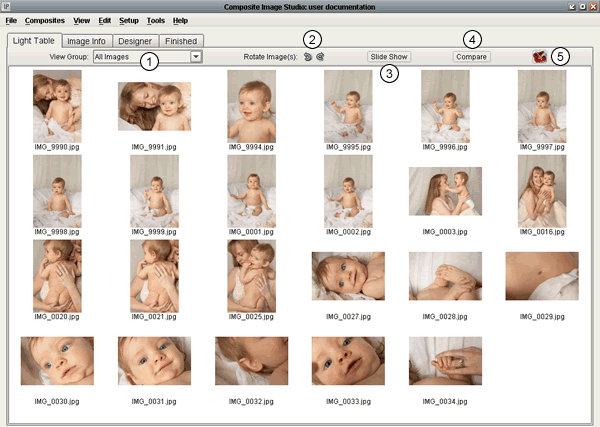 |
- View Group: Select which group you
would like to view. By default, every
project contains the "All", "Ungrouped",
and "Trash" groups. Any groups that you
create yourself will also be listed here
for viewing.
- Rotate Image(s): Rotates one or more
selected images 90 degrees clockwise
or counterclockwise.
- Slide Show: View a slide show of the
images in the currently selected group.
- Compare Images: Compares one or more
images (up to 6) in a full screen view.
- Toolbox: This new feature gives you
the ability to sort your images, rename
your images, relink to your high res
images, and print your light table.
|