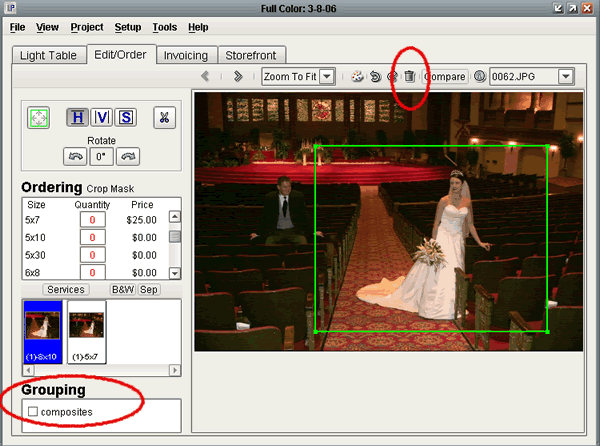
The Trashcan Icon: Located at the top center of the Edit/Order screen, this button allows you to quickly send an image to the Trash group. To take the image out of the Trash, you must open Filing/Grouping, right-click on the image, and select 'Restore Image'. For more on this, please click on 'Filing & Grouping' on the left of your screen.
The Grouping Section: Located at the bottom left of the Edit/Order screen, this section allows you to add and remove the current image from groups. If you have created any new groups, they will be displayed here, each with a checkbox next to them. An image may belong to one or more groups. To add an image to a group, check its checkbox, to remove it from a particular group, uncheck that group's checkbox.