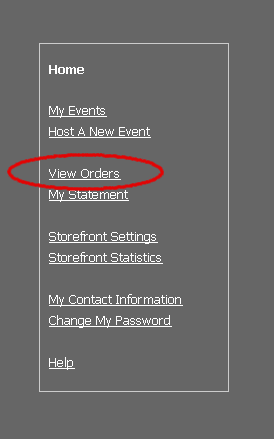
Click on “View Orders” from the storefront navigation menu.
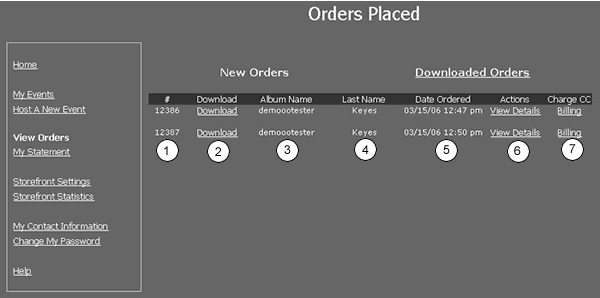
- Order Number
- Download Link: click here to download the order onto your invoicing screen.
- Event Name
- Last name of the person who placed the order
- Date the order was placed
- View Details link: click here to view the details of the order (ie: the images and print sizes that were ordered)
- Billing Link: click here to access your customer's credit card information (not applicable for people on Partnership Plan)