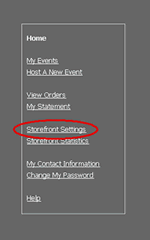
Go to the Storefront and click on Storefront Settings.
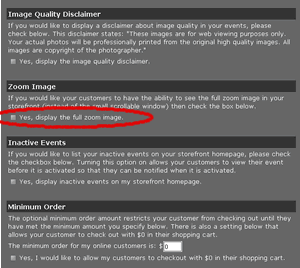
Full Zoom Images
|
Go to the Storefront and click on Storefront Settings. |
|
There will be a check box underneath the “Full Zoom” heading. If you would like to display the full zoom images make sure the box is checked. When you are done click the save changes button at the bottom of the screen. |