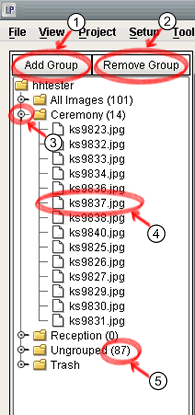
- Add a new group to your project. Note that you cannot add groups named the same as the default groups (All Images, Ungrouped, Trash).
- Remove a group from your project. Note that you cannot remove groups any of the default groups (All Images, Ungrouped, Trash).
- Expand the group to display its list of images.
- Images that are part of the group.
- The number of images in the group.