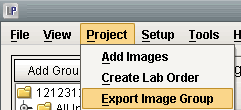
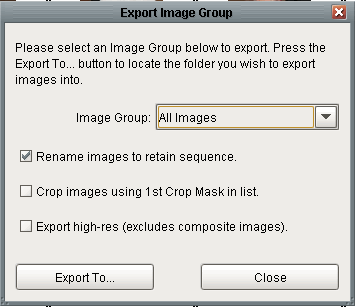
The screen to the left will appear, where you will have the option of selecting the group you would like to export.
You may choose to rename the images in the group, so that they maintain their current order (they will be renamed with a number preceding the original image name).
You can also crop images using the first crop mask in the list, and export high-resolution images (excluding composite images), by simply checking the boxes next to each option.
Finally, press the 'Export To' button, which will launch a window where you select the location you want your images exported to.