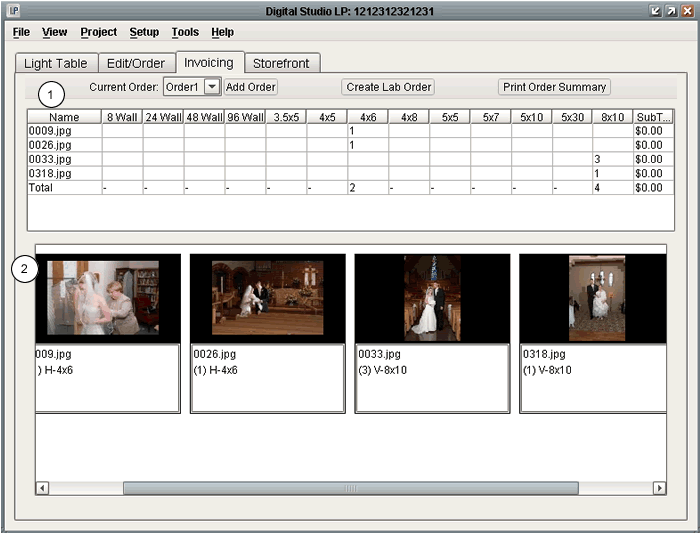
1. The Invoicing Grid shows the names, ordered sizes, and pricing totals for any ordered images in the current lab order. The last line of the grid is a summary of the totals for each print size, and the final pricing total.
2. The Thumbnails located in the lower section of the Invoicing screen represent any images that have orders placed for them. The thumbnail image itself appears un-cropped, like the original high-resolution version. This is because many times an image will have multiple crop masks, which would each need to be represented as their own thumbnail if the thumbnail version appeared cropped. The standard image allows you to have a main representation of the image, with all order information listed in the area underneath. This information includes the ordered sizes, amounts, and crop types (Vertical, Horizontal, or Square), along with any print services designated for a specific crop mask.
**If you double click on a thumbnail image, the image will open to its first crop mask in the Edit/Order screen. From here you can adjust or add any order information which may have changed or is needed.