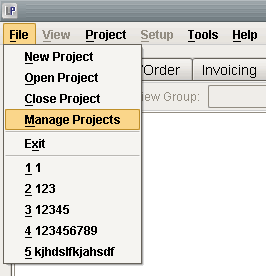
In order to access projects on a computer other than the one the project was created on you need to create a backup file of the project. You can do this by going to File > Manage Projects.
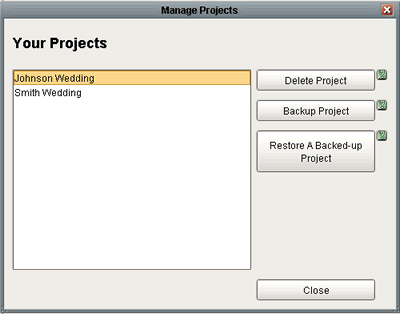
Highlight the project you which to backup from the list and click on the Backup Project button.
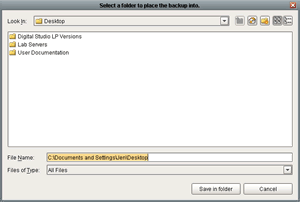
It will then ask you where you would like to save the backup file (the desktop is always a good bet).
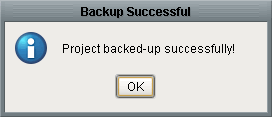
A popup window will appear saying the project was backed up successfully. Then you need to save the backup file to a cd or disk and transfer it to your other computer.
After putting the cd or disk into your other computer and copying the backup file to the desktop of the new computer, you are going to repeat the steps from before. Open the software and go to File > Manage Projects.
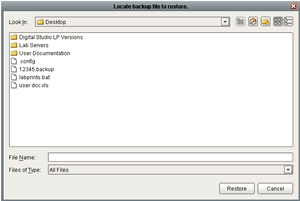
This time you are going to click on Restore A Backed-Up Project. It will ask you to locate the project and then click on restore.
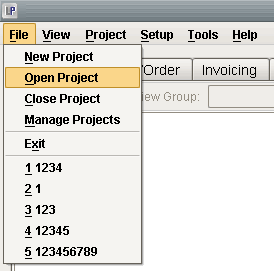
Once it finishes restoring you can go to File > Open Project.
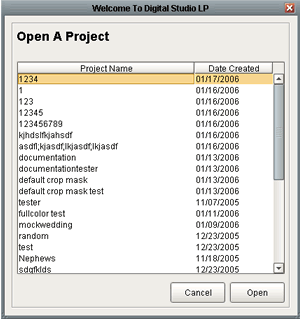
The project you just restored should be listed right at the top of the projects list so you can either double click on the project or highlight the project and select open.